Create a Project
To create a project in YottaSrc Cloud Console:
1. Navigate to the Projects tab and click on '+ New Project':
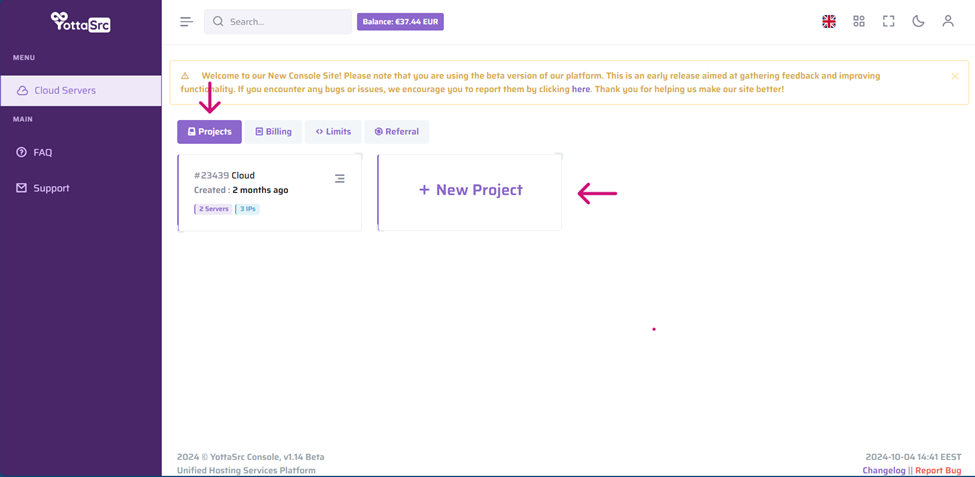
2. Enter the desired name for your project, then click 'Add Project'.
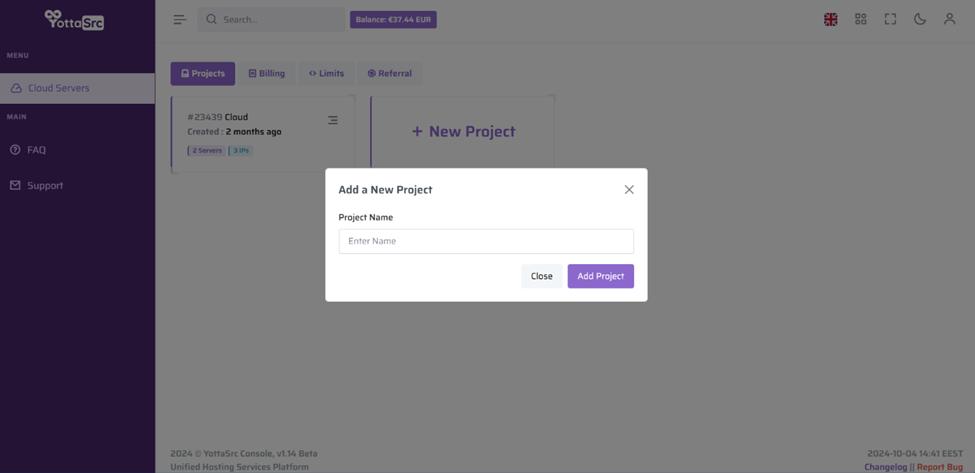
Congratulations! You have successfully created a new project, which you can now access to start creating servers.